
How to Integrate Tally Forms with ChatPro AI Agents (Step-by-Step Guide)
Learn how to integrate Tally Forms with ChatPro AI in seconds. Collect user data, feedback, and surveys automatically using AI-powered agents and smart form triggers.

Andrés Olarte
Author
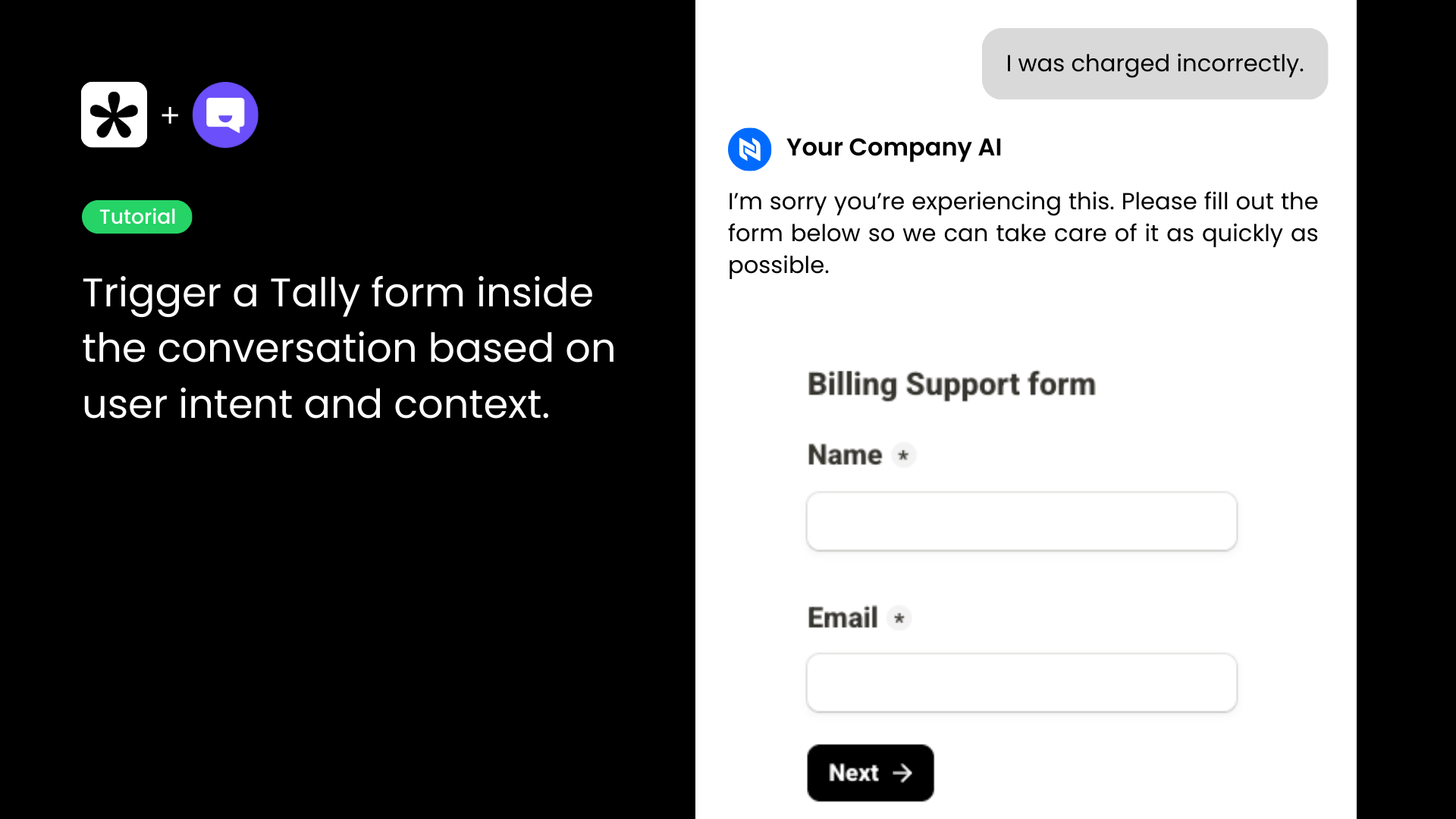
Tally is one of the simplest and most flexible form builders available today. When combined with ChatPro AI, you can automatically trigger forms inside conversations, allowing your AI agents to collect user data, feedback, surveys, billing issues, feature requests, and much more — all contextually and in real time.
In this guide, we’ll walk you through how to integrate Tally Forms with ChatPro AI in just a few seconds.
What You’ll Need
Before getting started, make sure you have:
- A ChatPro AI account
- A Tally account
- At least one form created in Tally
No coding required.
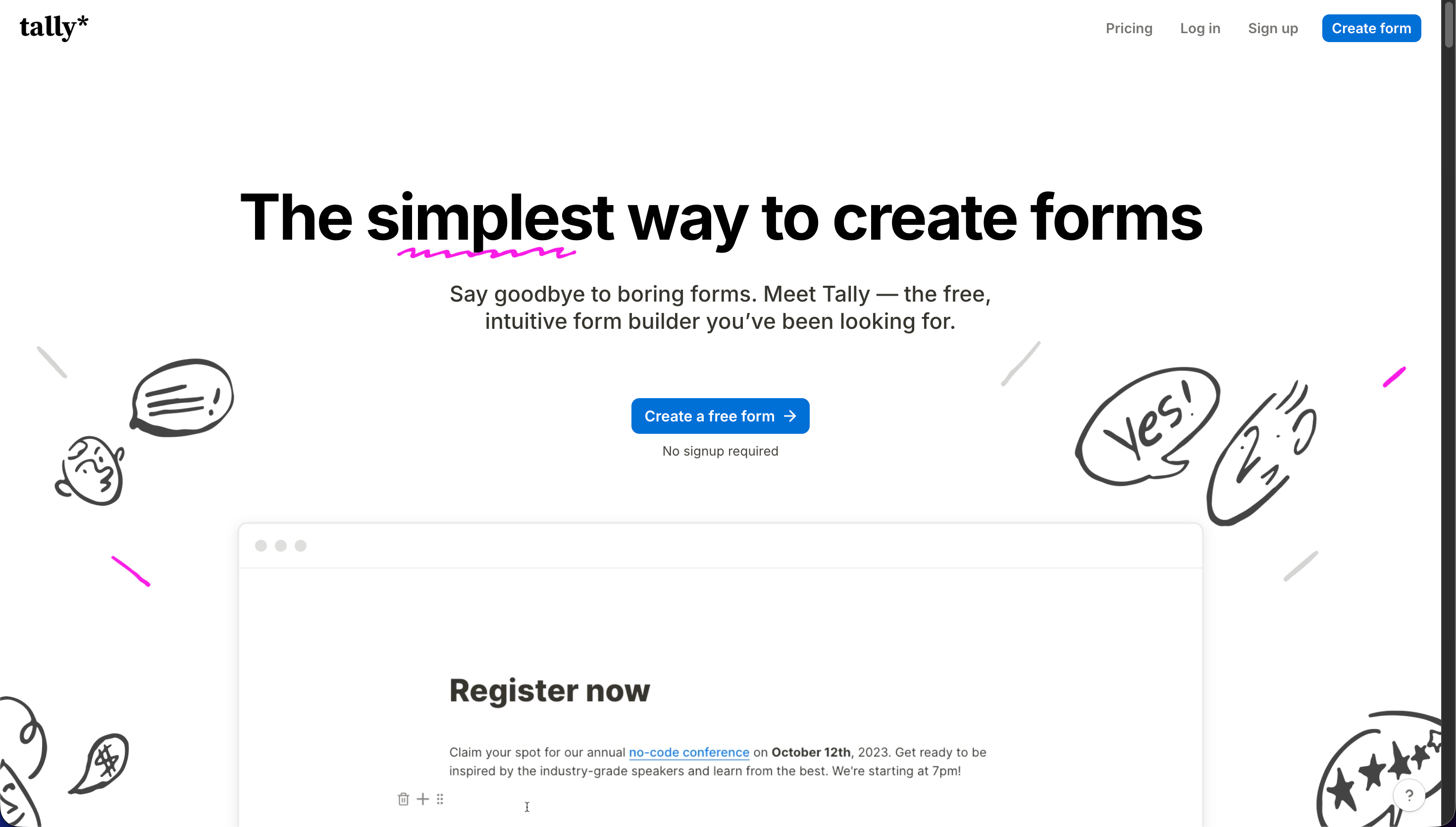
Step 1: Log in to Tally and Create (or Select) a Form
- Go to Tally.so and log in to your account.
- Create a new form or select an existing one you want your AI agent to trigger.
- Make sure your form is published and ready to accept responses.
Step 2: Copy Your Tally Form Share Link
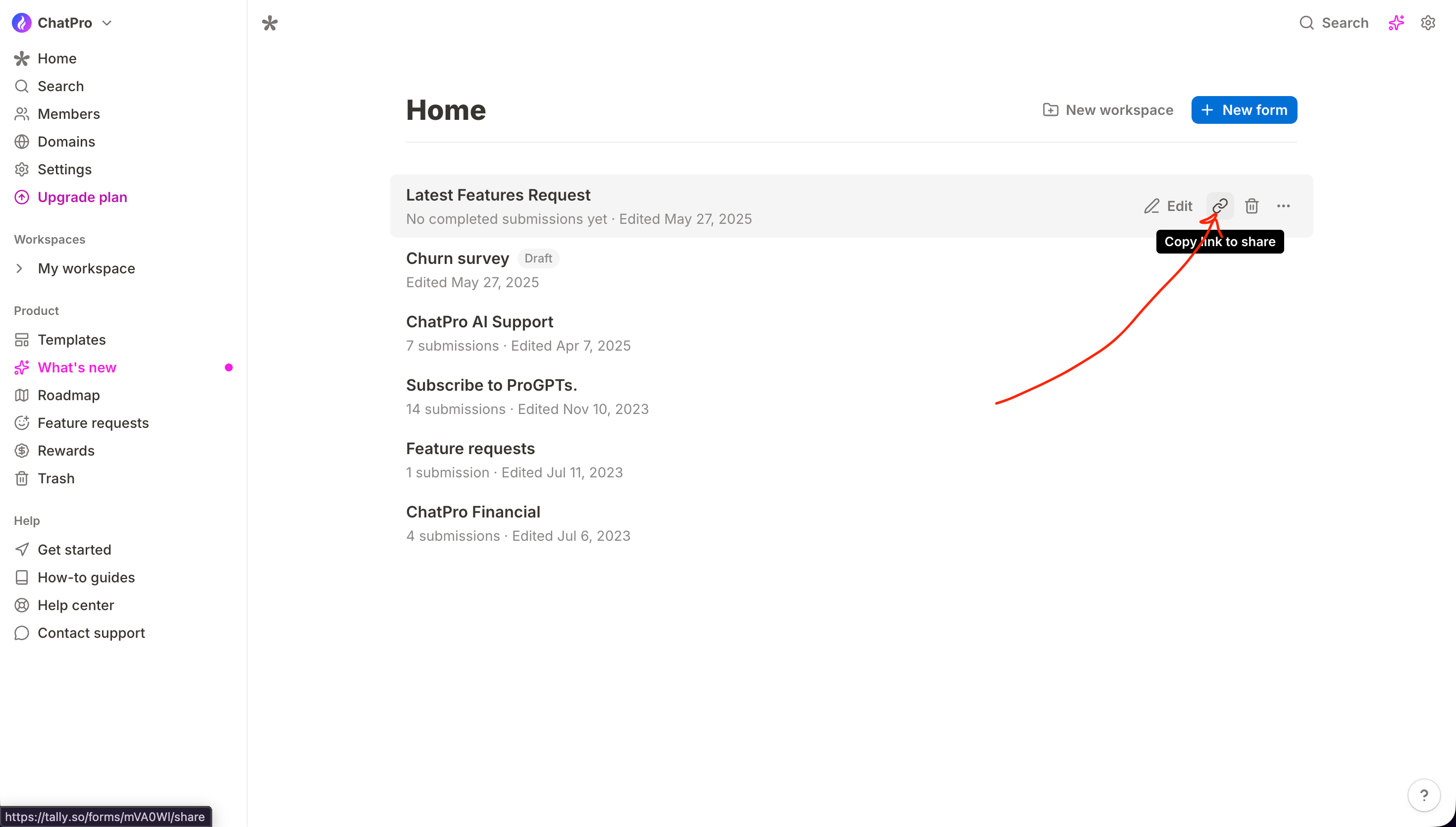
- Inside your Tally dashboard, locate the form you want to use.
- Click on the Share or link icon next to the form.
- Copy the public Tally Form URL (for example: https://tally.so/r/xxxxxx).
This link is what ChatPro AI will use to trigger the form inside conversations.
Step 3: Open ChatPro AI and Go to AI Actions
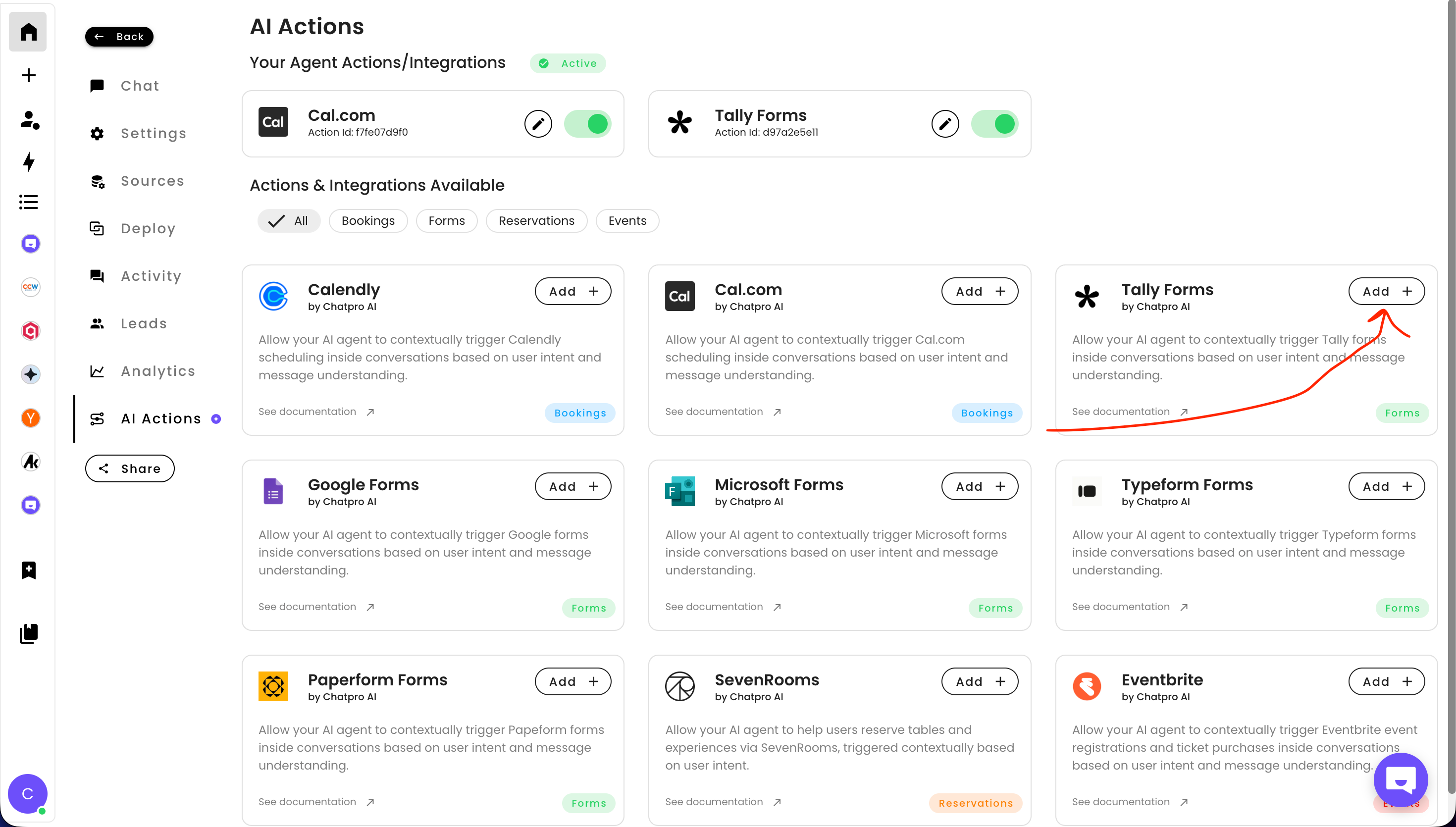
- Log in to your ChatPro AI dashboard.
- From the left sidebar, navigate to AI Actions.
- In the integrations marketplace, find Tally Forms.
- Click Add to begin the integration.
Step 4: Configure the Tally Forms Integration
A configuration modal will appear. Complete the following fields:
Tally Forms URL Link
- Paste the Tally form link you copied earlier.
Trigger Condition
- Define when the AI agent should trigger the form.
- Examples:
This allows ChatPro AI to intelligently decide when to show the form, based on user intent and conversation context.
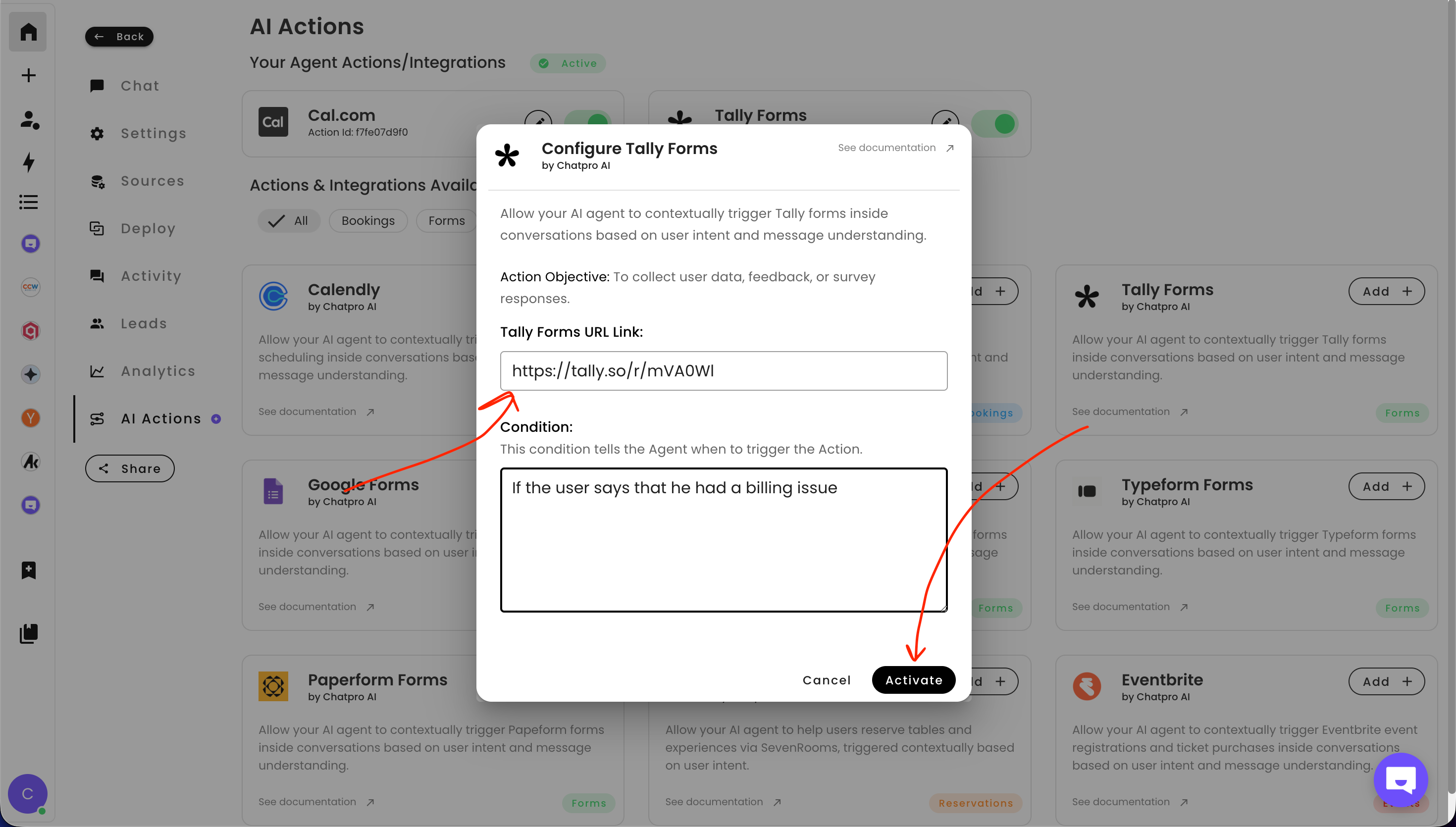
Step 5: Activate the Integration
- Click Activate.
- Your Tally Forms integration is now live.
Your AI agent can now automatically present Tally forms to users at the right moment during a conversation.
What You Can Do with Tally and ChatPro AI
- Collect support tickets automatically
- Handle billing issues without human intervention
- Gather customer feedback and NPS surveys
- Capture leads inside AI conversations
- Trigger onboarding or qualification forms
- Reduce friction by avoiding external workflows
- your imagination is the limit
All of this happens inside the chat experience, powered by AI.
Why Use Tally Forms with ChatPro AI
- No-code setup
- Fast and lightweight forms
- Context-aware AI triggers
- Higher form completion rates
- Seamless user experience
If you’re building AI agents for customer support, sales, onboarding, or internal operations, this integration unlocks powerful automation with minimal effort.
Final Thoughts
Integrating Tally Forms with ChatPro AI takes less than five minutes and gives your AI agents the ability to collect structured data exactly when it matters most.
If you’re already using Tally or searching for smarter ways to automate data collection with AI agents, ChatPro AI is the perfect companion.
Share this article
Build AI agents for Free using ChatPro
Connect your data, get a custom AI Agent, and share it anywhere.
- - Embed on your website
- - AI Chat and Voice

Keep Reading

How to Integrate Typeform with ChatPro AI Agents (Step-by-Step Guide)
Learn how to integrate Typeform with ChatPro AI Agents in minutes. Automatically collect feedback, surveys, and form responses inside AI-powered conversations.

How to Integrate Calendly with Chatpro AI for Automated Appointment Schedulin
Learn how to integrate Calendly with Chatpro AI step by step to automate meeting scheduling with AI agents. Improve conversions, reduce friction, and book meetings directly from conversations.

How to Add AI-Powered Appointment Scheduling to Your Agent (Cal.com)
Learn how to add AI-powered appointment scheduling to your chatbot. Step-by-step guide to automate meeting, demo, and call bookings using AI agents and Cal.com.

How to add a Chat Bubble to your website
A quick step-by-step guide to installing the ChatPro chat bubble on top website builders (WordPress, Framer, Webflow, Shopify, Wix, Squarespace) and developer frameworks like React, Vue, Angular, and Next.js.